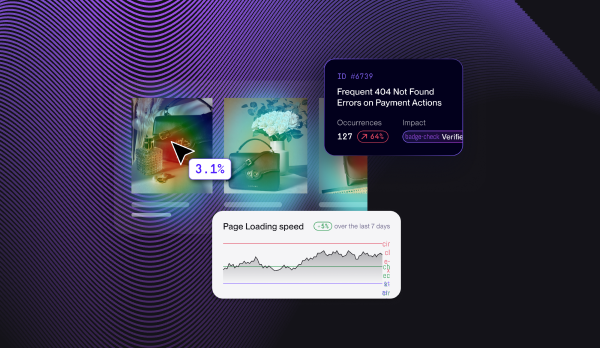
Noibu's CRO Agent: AI Conversion Optimization Built on Your Store's Own Behavior

Noibu's CRO Agent finds conversion opportunities in your store's own behavior data, such as where shoppers hesitate, rage click, or drop off, sizes each by revenue, and drafts the change worth shipping. A person approves it, and the agent reports what happened to conversion afterward, or hands it to the A/B Testing Agent to test first.
Most CRO programs run on checklists and opinions: bigger buttons, more urgency, a sticky add to cart. Some of it works on some stores. What a checklist cannot tell you is which change matters on your pages, for your shoppers, right now.
Noibu is AI for ecommerce operations, the always-on optimization system that keeps online stores running at their best. A team of supervised AI agents finds what's broken, slow, or leaking revenue, does the work, and hands results back for human approval.
What is Noibu's CRO Agent?
The CRO Agent is one of Noibu's six supervised AI agents. It owns one outcome: conversion. It reads the behavior of every session, finds where shoppers struggle or leave, connects that to the technical and speed context on the same page, and turns the strongest opportunities into changes a person can approve.
How does the CRO Agent work?
- Read behavior. It analyzes clicks, scroll depth, journeys, and drop-off across every session on key templates
- Rule out technical causes. It checks the same pages for errors and slow loads, so it does not suggest design changes for a page that is simply broken
- Size the opportunity. It estimates the revenue at stake from the sessions and conversion on that page
- Draft the change. It writes the change, or a hypothesis and variations for the A/B Testing Agent to test
- Measure. After a person approves and the change ships, it compares conversion before and after
What data does it work from?
The agent works from Noibu's unsampled behavioral data: click maps, rage and dead clicks, scroll depth, session replays, funnels, and journeys, joined to revenue and to the error and speed data on the same pages. Product and collection pages carried over 70% of shopper activity during Holiday 2025, according to the Noibu Holiday 2025 Ecommerce Benchmark Report, so that is where most opportunities show up.
Rvinyl increased average order value by 11% using Noibu heatmaps on product pages, after finding that most of its traffic entered on product pages rather than the homepage.
What stays human?
Every Noibu agent is supervised. It does the investigation and drafts the work; a person decides what ships. Nothing deploys to a live store on its own.
For a broader guide to using AI for conversion work, see AI conversion rate optimization. For frustration signals specifically, see rage clicks: what they are and how to find them.
Where do you use it?
Teams work with the CRO Agent inside the Noibu console or from Claude through the Noibu plugin for Claude. It is one of six agents, alongside Bug Resolution, Performance, CRO, A/B Testing, ADA, and ROAS, and they share one data layer, so a finding from one agent can become work for another.
How do you try it on your own store?
The fastest way to see the agent work is a free website audit. Noibu runs all six agents on your real store data for two weeks; findings come back quantified, with session replays one click away. With at least two approved changes deployed, each agent reports what actually happened to the metric it promised to move, before and after.
Frequently asked questions
Related topics
.avif)
.png)