
New in Page Analysis: Revenue Metrics That Connect Behavior to Sales

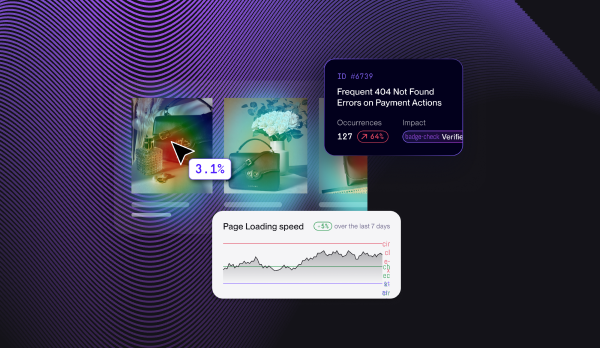
Noibu's Page Analysis now includes revenue metrics, connecting page-level shopper behavior — clicks, scroll depth, engagement — to conversion and revenue. Instead of showing only which page elements get attention, Page Analysis now shows which ones actually drive purchases, so product, UX, and growth teams can prioritize page changes by revenue impact rather than by clicks alone.
The latest update to Noibu's Page Analysis closes that gap. Page-level behavior is now tied to conversion and revenue — so when you look at a page, you can see not just what shoppers interact with, but what actually moves the sale.
What's new: revenue metrics in Page Analysis
Page Analysis already gave ecommerce teams a page-by-page view across four layers — Journeys (how users arrive and leave), Heat Maps (click and scroll behavior), Issues (page-specific errors), and Performance (Core Web Vitals on real-user data). The new update adds the layer that ties it all to the bottom line: revenue metrics at the page level.
The practical shift is from engagement to outcome. Where heatmaps show interaction, the revenue metrics show whether that interaction is associated with conversion and revenue — turning Page Analysis from a behavioral diagnostic into a prioritization tool you can defend to a P&L owner.
Page Analysis now shows you which pages and elements drive purchases — not just which ones get clicks.
— Source: Noibu Page Analysis, 2026 update
Why connecting behavior to revenue changes how teams prioritize
The hard part of page optimization has never been generating ideas — it's deciding which idea is worth shipping. When all you have is engagement data, every change is a guess dressed up as a hypothesis. Revenue metrics give the guess a price tag.
From "this gets clicks" to "this drives sales"
A page element can be highly clicked and still be a problem — for example, a feature that pulls attention away from the add-to-cart button. Conversely, an under-noticed element might be quietly responsible for a large share of conversions. Tying behavior to revenue lets teams tell the difference and stop optimizing for attention at the expense of outcome.
Prioritize page changes by what they're worth
When you can see conversion and revenue at the page level, you can rank potential improvements by impact instead of by intuition. The PDP template that drives the most revenue per session earns more optimization attention than a high-traffic page that converts poorly for understandable reasons. This is the same revenue-first prioritization Noibu applies to technical issues, now extended to page experience.
Make the case to stakeholders in their language
UX and product teams are perpetually asked to justify experience work in business terms. Page-level revenue metrics do that translation automatically: a proposed change isn't "better UX," it's a defensible projection tied to the revenue the page already generates.
Where this fits in the Page Analysis workflow
Revenue metrics don't replace the existing tabs — they complete them. A typical workflow now looks like this: start with a page group like PDPs or Checkout, use Heat Maps to see how shoppers engage, use Journeys to see how they arrive and leave, check Issues and Performance for technical drag — and read it all against the page's conversion and revenue. Behavior, technical reality, and revenue, on the same page, at the same time.
"No other tool aggregates heatmaps like Noibu. Most of our customers come in on product pages rather than the homepage. Being able to see the journey across those thousands of specific pages allowed us to surgically improve the experience and increase our average order value by 11%."
— Philip Krynsky, CEO of Rvinyl
Who gets the most from revenue metrics in Page Analysis
Product teams can prioritize roadmap and page changes by revenue impact rather than by metric movement they can't explain. UX teams can show that experience improvements are revenue improvements, and tell hidden friction (a design problem) from a technical break. Growth and ecommerce leaders get a page-level view of where revenue is concentrated and where it's leaking — the prioritization layer that turns optimization from a backlog into a plan.
Frequently asked questions about Page Analysis revenue metrics:
See which pages actually drive revenue
Clicks tell you where attention goes. Revenue metrics tell you where money comes from — and now Page Analysis shows both on the same page. If your team has been optimizing on engagement and hoping it correlates with conversion, this is the update that replaces the hope with a number.
.avif)
.avif)
.avif)