The 17 best CRO tools to boost ecommerce revenue in 2026
Noibu
December 1, 2025
Blogs
★
Key features
Full-funnel monitoring across errors, performance issues, and buyer journey friction.
Revenue-based prioritization that highlights the friction costing you the most conversion and revenue.
Ecommerce-context session replay enriched with frustration signals, funnel placement, and developer-ready technical details.
Performance & page analysis showing slowdowns and friction across PDPs, cart, checkout, and key templates.
Purpose-built workflows for ecommerce leaders, product owners, and developers to act fast with clarity.
Conversion rate optimization software isn’t just another marketing tool — it’s the difference between spending money on traffic and actually turning visitors into customers.
Most ecommerce brands invest heavily to attract shoppers… only to watch potential buyers bounce faster than a bad Tinder match.
Here’s the math: If your site converts at 10%, even a small improvement to 12–15% can drive massive revenue gains. Double that to 20%, and you’ve doubled the value of your traffic without increasing your ad spend. That’s why conversion rate optimization (CRO) consistently delivers some of the highest ROI in digital commerce.
Smart ecommerce teams focus not only on acquiring visitors — but on removing friction so those visitors actually buy. CRO is faster, cheaper, and typically more effective than scaling traffic alone. And consumers expect better: McKinsey reports that 71% expect personalized experiences, and 76% get frustrated when they don’t receive them.
This expert-tested list breaks down 17 of the best CRO tools for 2025, including ecommerce-focused platforms like Noibu that uncover revenue-blocking friction, as well as tools for experimentation, behavior analytics, landing page optimization, and lead capture.
Let’s get into it.
⚡ Executive TL;DR — Why ecommerce teams rely on Noibu for revenue-impact visibility
Noibu uncovers high-impact friction across errors, performance issues, and buyer journey blockers that most teams never see.
Revenue-based prioritization highlights the issues that matter most so teams focus on the biggest revenue drivers — not the loudest bugs.
Ecommerce-context session replay shows what’s happening, where it happens in the funnel, and which customers it affects.
Faster investigation and action thanks to dev-ready technical details, enriched session data, and clear root-cause context.
Purpose-built for ecommerce leaders, product owners, and digital teams who need clarity, speed, and business impact — not generic monitoring noise.
Noibu gives ecommerce teams a single place to discover every critical conversion opportunity, focus on the biggest revenue drivers, and act fast with the clarity they need.
1. Noibu
Best for: Ecommerce brands wanting to uncover and fix high-impact friction tied directly to revenue
Noibu is an ecommerce monitoring and experience analytics platform that helps teams discover and act on critical conversion opportunities. Unlike traditional error or UX tools, Noibu surfaces friction across errors, performance issues, and buyer journey bottlenecks — then quantifies everything in terms of revenue impact.
If you want to know what’s costing you money right now, Noibu gives you the answer.
★
Key features
Full-funnel monitoring across errors, performance issues, and buyer journey friction.
Revenue-based prioritization that highlights the friction costing you the most conversion and revenue.
Ecommerce-context session replay enriched with frustration signals, funnel placement, and developer-ready technical details.
Performance and page analysis showing slowdowns and friction across PDPs, cart, checkout, and key templates.
Purpose-built workflows for ecommerce leaders, product owners, and developers to act fast with clarity.
✅ Pros
Connects technical friction directly to **revenue impact**, not just error counts.
Helps teams quickly identify the top issues currently hurting conversion.
Combines issues, performance signals, and session replay in one ecommerce-focused workflow.
Dramatically reduces investigation time with **dev-ready diagnostics** and clear context.
Purpose-built for ecommerce leaders, product owners, and developers who need clarity and speed.
⚠️ Cons
Best suited for **mid-market and enterprise** ecommerce brands with meaningful traffic.
Requires a shift toward **revenue-first prioritization**, which may be new for some teams.
Some advanced features vary slightly depending on the ecommerce stack and implementation.
Pricing
Custom pricing based on traffic and modules. Tailored for mid-market and enterprise ecommerce brands.
Best use case
Noibu is the go-to choice for ecommerce brands that want to convert more revenue from their existing traffic. One customer prevented $1.9M in annual revenue loss and achieved 18× ROI within 12 months by using Noibu to prioritize sprint work by revenue impact.
2. Optimizely
Best for: Large enterprises running mature experimentation programs
Optimizely is a leading experimentation platform for brands running high-volume A/B tests across web and apps.
🧪
Key features
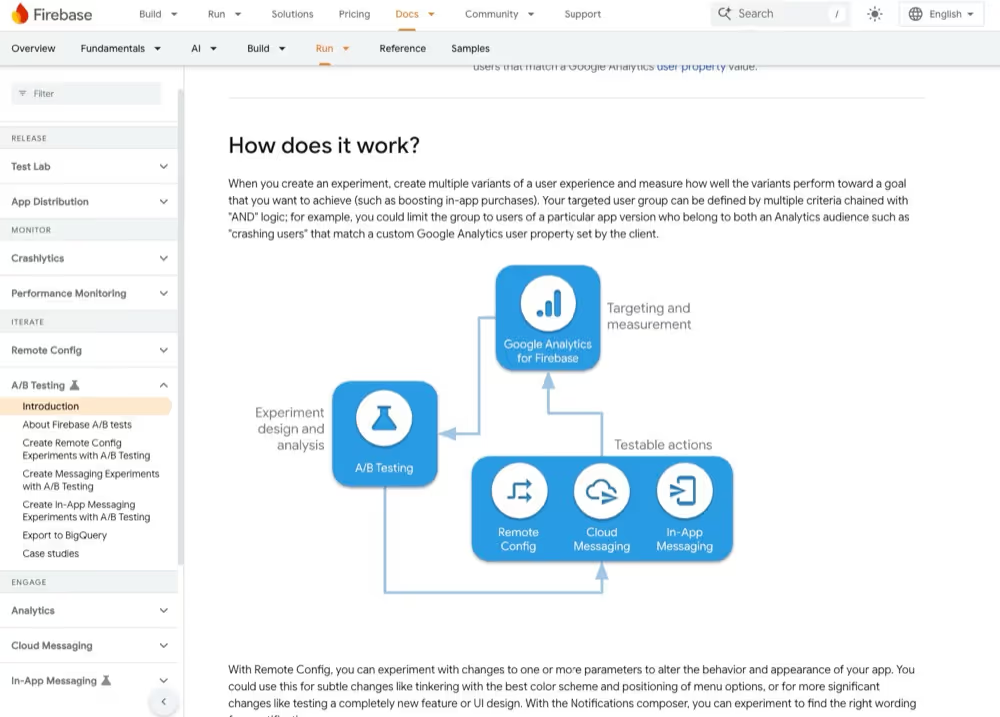
Advanced A/B and multivariate testing for running high-quality experiments across web, mobile, and full-stack environments.
Visual editor enabling marketers and non-technical users to create experiments without writing code.
Audience targeting and segmentation based on behavior, demographics, device, campaign source, and more.
Server-side, client-side, and hybrid experimentation for deep integration with engineering workflows.
Robust statistical models including sequential testing, error control, and reliable significance reporting.
Integrations with analytics tools like Google Analytics, enabling cross-platform insights.
✅ Pros
Enterprise-grade A/B and multivariate testing capabilities.
User-friendly visual editor allowing marketers to run experiments without code.
Advanced targeting and segmentation for highly personalized test audiences.
Robust client-side and server-side testing across full-stack environments.
Reliable statistical analysis and significance calculations.
Deep integrations with analytics platforms like Google Analytics.
⚠️ Cons
High pricing makes it difficult for many SMB and mid-market teams.
Client-side testing may introduce page flicker or delays on some setups.
A steeper learning curve for teams without existing experimentation maturity.
Some engineering organizations experience integration overhead with legacy systems.
Complex setup for advanced or full-stack experiments.
Pricing
Starts around $36,000/year.
Best use case
Teams that already know what they want to test. Many combine Optimizely with Noibu: • Noibu identifies the opportunities • Optimizely tests possible solutions
3. VWO
Best for: Testing + insights in one platform
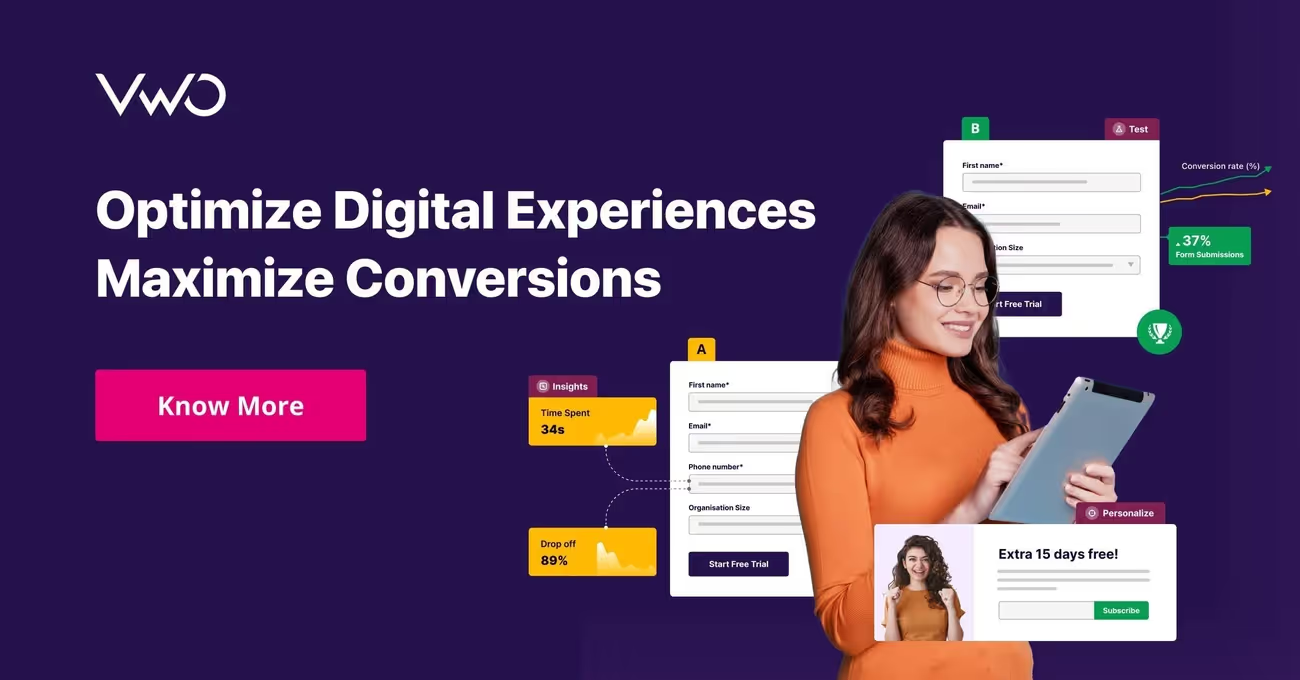
VWO offers a full set of CRO tools that help teams test, analyze, and personalize experiences.
📊
Key features
A/B, multivariate, and split URL testing with an intuitive visual editor.
VWO Insights suite including heatmaps, session recordings, surveys, and on-page feedback.
Advanced segmentation & targeting for personalized experiments.
VWO Plan for centralized experiment documentation and collaboration.
VWO Personalize to deliver tailored experiences based on user behavior and attributes.
AI-powered recommendations and automation features for experiment ideation and rollout.
✅ Pros
Complete CRO suite offering testing, behavior insights, surveys, and personalization.
User-friendly interface that makes experimentation more accessible to non-technical teams.
Wide range of testing types including A/B, multivariate, and split URL tests.
Strong heatmaps and session recordings for understanding user behavior.
Flexible features that scale from SMBs to enterprise teams.
⚠️ Cons
Some features are limited or locked behind higher-tier plans.
Reports and analytics can be complex for beginners to fully leverage.
Client-side testing may suffer from flicker issues depending on setup.
Costs increase quickly for high-traffic sites or larger experimentation programs.
Pricing
Free plan (50k MTUs) + Growth, Pro, Enterprise tiers.
Best use case
Great for brands wanting a single toolkit covering insights + testing. Often paired with Noibu to verify if fixing the friction Noibu identifies improves conversions.
4. Convert
Best for: Mid-market teams needing advanced testing without enterprise pricing
Convert is a powerful experimentation platform with full-stack options.
⚙️
Key features
Advanced A/B and multipage testing to optimize entire funnels, not just single pages.
Full-stack experimentation included at no extra cost — ideal for engineering-led teams.
Hybrid testing that blends client-side and server-side capabilities for flexible rollout.
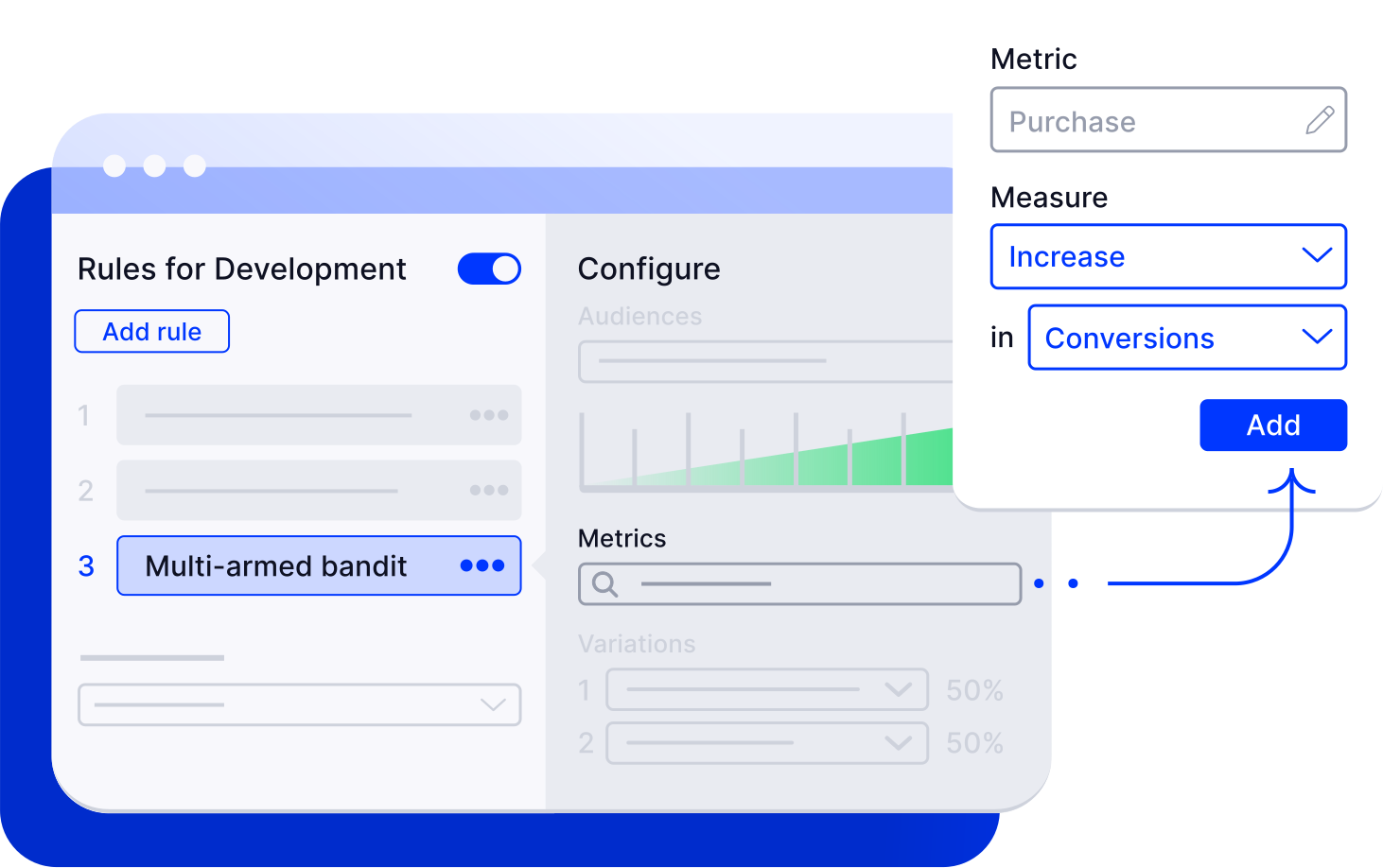
Multi-armed bandit algorithms that automatically send more traffic to winning variants.
Feature flagging and controlled rollouts built directly into the platform.
Granular QA & preview tools to validate experiments across breakpoints and user groups.
No forced upgrades — pricing is transparent and legacy-friendly.
✅ Pros
Full-stack experimentation included with no extra fees — rare among testing platforms.
Highly flexible testing options, including hybrid tests and multipage funnel optimization.
Multi-armed bandit models accelerate results by reallocating traffic to winning variations.
Transparent pricing with no forced upgrades or surprise limits.
Strong QA and preview tooling for validating experiments before launch.
⚠️ Cons
Higher starting price than lightweight A/B tools, making it less accessible for small businesses.
Learning curve for non-technical users managing full-stack or hybrid experiments.
Lower-tier plans include fewer advanced features and may require upgrading as programs grow.
Requires engineering involvement for server-side or feature-flag-based tests.
Less holistic monitoring or UX context compared to platforms focused on ecommerce friction.
Pricing
Starts at $399/month.
Best use case
Brands that want advanced testing without enterprise pricing — often using Noibu to decide what to test.
5. Unbounce
Best for: High-performing landing pages
Unbounce helps marketers build and optimize campaign landing pages.
🎨
Key features
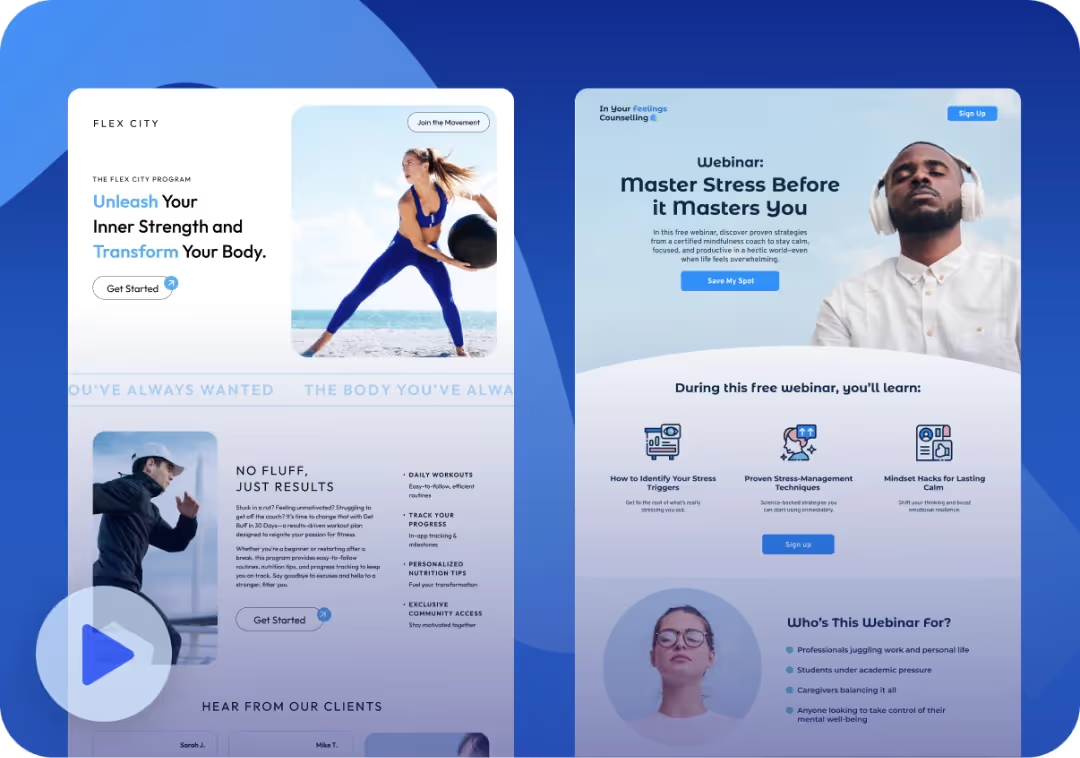
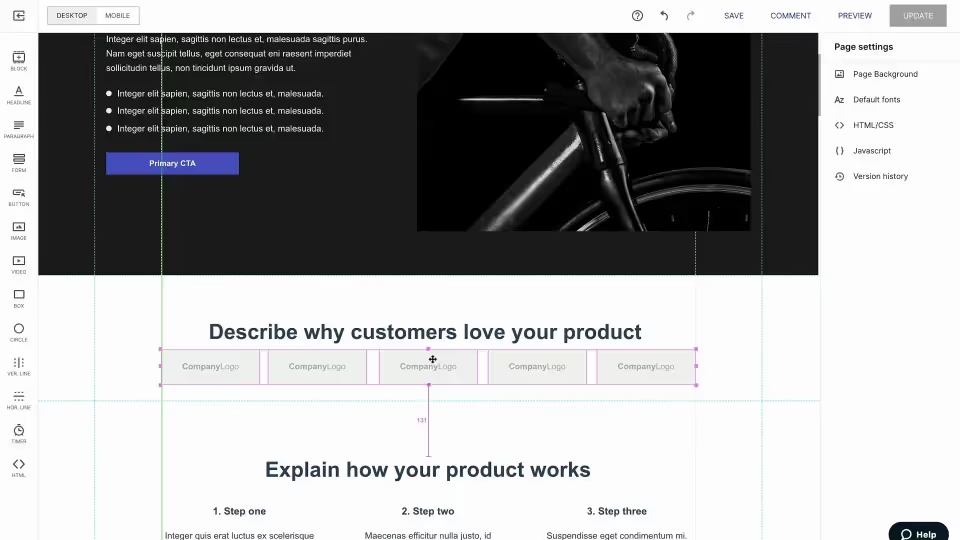
Drag-and-drop landing page builder allowing creation of custom pages with no code.
Smart Traffic AI that automatically routes visitors to the highest-converting page variant.
AI-powered copy generation for headlines, CTAs, and landing page content.
100+ conversion-optimized templates designed for paid campaigns and lead-generation funnels.
Popups and sticky bars that adapt to user behavior and intent.
Dynamic text replacement for improved ad relevance in PPC campaigns.
Integrations with 1,000+ tools including CRMs, analytics, email platforms, and ecommerce tools.
✅ Pros
Extremely flexible drag-and-drop builder providing full creative control.
Smart Traffic AI improves conversion rates by auto-routing visitors to top-performing variants.
Dynamic text replacement boosts PPC relevance and ad-to-page match quality.
Large library of high-converting templates for fast campaign deployment.
Integrates with 1,000+ marketing tools for seamless workflows.
⚠️ Cons
Mobile responsiveness can feel restrictive, especially with custom layouts.
Visitor caps on standard plans can limit scaling for high-traffic campaigns.
A/B testing only available on higher-tier plans.
Some users report a learning curve despite the visual editor.
Pricing can become expensive compared to lightweight page builders.
Pricing
Starts at $99/month.
Best use case
Campaign landing pages. Noibu often monitors the ecommerce site while Unbounce supports top-of-funnel acquisition.
6. Leadpages
Best for: Small businesses and solopreneurs
Leadpages is simple, affordable, and beginner-friendly.
📄
Key features
Beginner-friendly drag-and-drop builder that requires no coding knowledge.
Conversion-optimized templates based on proven landing page best practices.
Unlimited traffic and leads across all plans — rare among landing page platforms.
Pop-ups, alert bars, and opt-in forms designed for growing lists and capturing leads.
Fast page load speeds and 99.9% uptime for improved user experience and SEO.
A/B testing built into higher-tier plans to test landing page variants.
Integrations with major marketing tools including CRM, email, and ecommerce platforms.
✅ Pros
Very affordable for solopreneurs and small businesses.
Easy-to-use builder even for complete beginners.
All plans include unlimited traffic and leads, removing scaling constraints.
Fast-loading pages improve SEO and user experience.
Great built-in lead generation tools like popups and alert bars.
⚠️ Cons
Standard plan limits users to 5 published landing pages.
Fewer customization options compared to tools like Unbounce or Instapage.
A/B testing only available on higher pricing tiers.
Some users report the builder can feel slow or laggy during heavy editing sessions.
Not designed for enterprise or complex landing page programs.
Pricing
Starts at $37/month (annual).
Best use case
Affordable landing pages for SMBs.
7. Instapage
Best for: Paid advertising teams wanting personalized post-click experiences
Instapage is strong for rapid, high-quality landing page creation.
🚀
Key features
Pixel-perfect drag-and-drop builder with advanced design controls and flexible grid layout.
Instablocks — reusable content modules that allow teams to build pages faster and stay on brand.
Collaborative editing tools including commenting and approvals, great for agencies and teams.
AI-assisted content generation for headlines, CTAs, and body copy.
Heatmaps to visualize scroll depth, mouse movement, and click activity.
Server-side A/B testing (on higher plans) to eliminate flicker and improve test reliability.
Ad-to-page personalization that matches landing pages to ad messaging for better conversion.
✅ Pros
High-end, pixel-perfect builder ideal for design-sensitive teams or premium landing pages.
Collaboration tools streamline workflows for marketing teams and agencies.
Instablocks significantly speed up page creation and enforce brand consistency.
Server-side A/B testing removes flicker and improves experimental validity.
Ad-to-page personalization increases relevance and boosts campaign conversion rates.
Strong heatmaps offering deeper behavioral insights than many landing page builders.
⚠️ Cons
Strict visitor limits on many plans can constrain scaling for paid campaigns.
Premium pricing makes it less accessible for smaller ecommerce businesses.
Templates and widgets offer less flexibility than Unbounce for certain layouts.
Learning curve for mastering advanced design features in the editor.
Lacks deep ecommerce-specific capabilities (e.g., revenue-impact visibility).
Pricing
Starts at $79/month annually.
Best use case
Paid media teams optimizing post-click experiences.
8. Hotjar
Best for: Visual behavior analytics
Hotjar helps teams understand what users do via heatmaps and recordings.
🔥
Key features
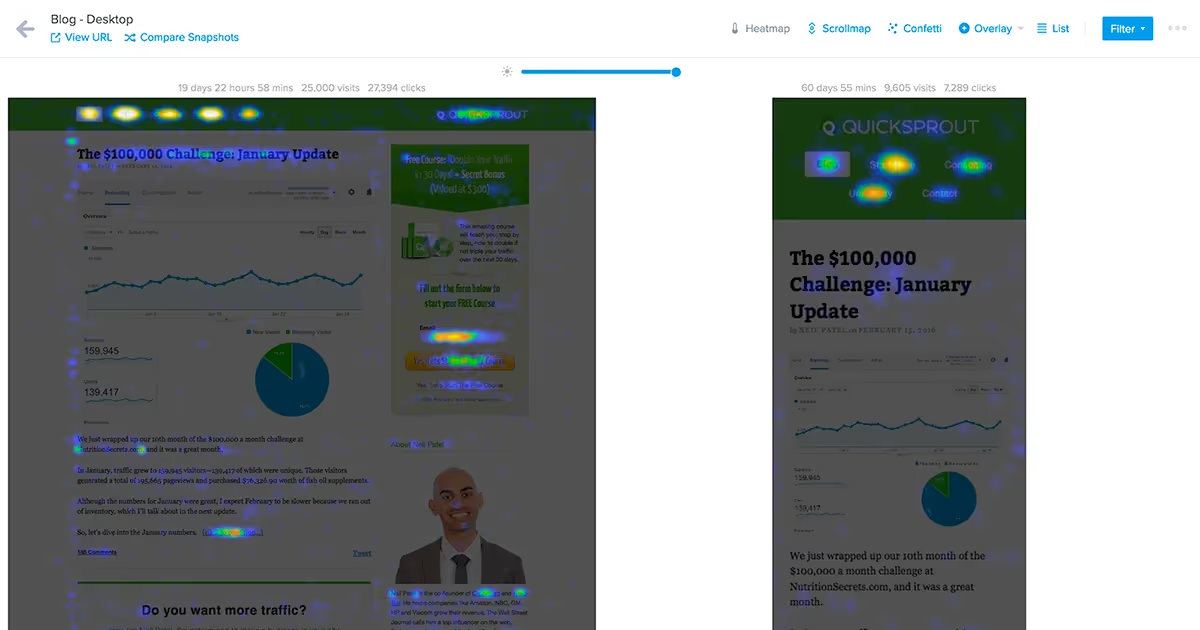
Heatmaps for clicks, scrolls, and movement to visualize how users interact with pages.
Session recordings with filters for frustration signals like rage clicks and U-turns.
Surveys and feedback widgets to collect real-time user sentiment on specific pages.
Funnel analysis to identify drop-off points across user journeys.
Form analytics to detect field-level friction and abandonment patterns.
AI-powered insights including smart summaries of recordings and automated survey generation.
Behavior trends dashboards for quick visualization of usage patterns over time.
✅ Pros
Beginner-friendly interface that makes behavior analytics easy to understand.
Highly visual insights that clearly show what users do on your site.
Powerful filtering for session recordings to isolate specific user types or behaviors.
AI-assisted summaries help teams interpret recordings faster.
Custom surveys and feedback widgets provide direct user insight.
Widely used across industries, meaning many teams already understand the tool.
⚠️ Cons
Can provide “what” but not “why in revenue terms” — lacks business impact context.
Some users experience installation or performance challenges on large or complex sites.
Pricing can get complex across multiple product lines (Observe, Ask, Engage).
Mixed reviews around customer support response times.
Not purpose-built for ecommerce; requires pairing with tools like Noibu for revenue-level insights.
Pricing
Free tier + paid plans starting around $99/month.
Best use case
UX diagnostics. Noibu often fills the “revenue impact” gap Hotjar lacks.
9. Crazy Egg
Best for: Simple UX behavior tracking at a low cost
Crazy Egg offers affordable heatmaps and lightweight A/B testing.
👁️
Key features
Five types of heatmaps, including click, scroll, confetti, and overlay views.
Session recordings that reveal user paths, click behavior, and navigation patterns.
A/B testing tools with classic and multi-armed bandit options.
On-page surveys and polls to gather direct customer insights.
Popup CTAs for highlighting promotions or capturing leads.
Error tracking capabilities to identify technical issues affecting user flows.
Fast installation with simple script-based setup.
✅ Pros
Quick, code-light installation — easy for teams without dev support.
Clear and simple visualizations ideal for explaining insights to non-technical stakeholders.
More affordable than many behavior analytics tools, with strong value at lower tiers.
Unlimited websites, team members, and surveys across all plans.
Solid heatmap and recording tools for page-level optimization needs.
⚠️ Cons
Limited session recordings depending on plan (50–10,000).
Requires manual setup for each tracked page, which slows onboarding.
No advanced funnel analysis or journey-based insights.
Lacks mobile app tracking capabilities.
Not designed for ecommerce-specific friction or revenue impact visibility.
Pricing
Starts at $29/month.
Best use case
Landing page analysis and stakeholder-friendly visuals.
10. Microsoft Clarity
Best for: Free behavior analytics without limits
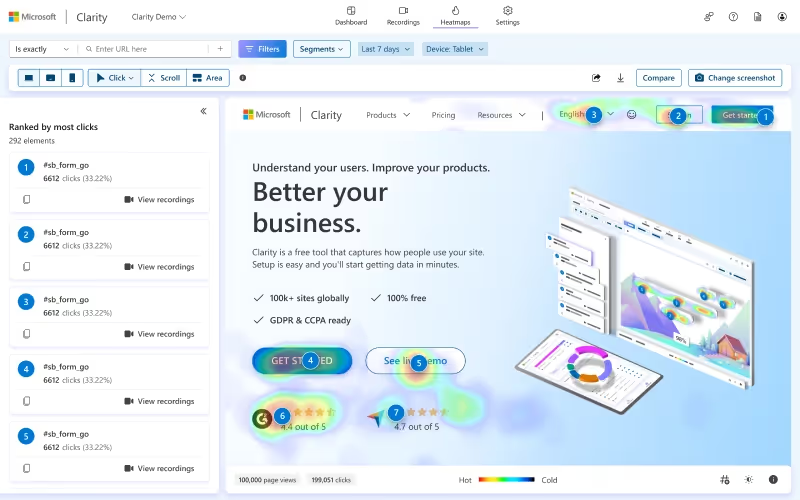
Clarity gives unlimited heatmaps and recordings, free forever.
📘
Key features
Unlimited session recordings with no caps on monthly traffic or storage.
Heatmaps automatically generated for clicks, scrolls, and engagement.
Frustration detection for rage clicks, dead clicks, excessive scrolling, and rapid backtracking.
AI-powered Copilot summaries that synthesize patterns from recordings and heatmaps.
Advanced filters to break down behavior by user type, device, page, or action.
Google Analytics integration for combined behavioral and quantitative insights.
GDPR and CCPA compliant with strong, privacy-friendly tracking defaults.
✅ Pros
Completely free — no caps, no paid tiers, no traffic limits.
Unlimited heatmaps and recordings, ideal for high-traffic sites.
AI Copilot summaries help teams analyze behavior without manual review.
Privacy-friendly and fully compliant with GDPR and CCPA.
Fast, intuitive interface for reviewing recordings and behavioral trends.
Easily integrates with Google Analytics for blended insights.
⚠️ Cons
Reporting is limited compared to paid behavior analytics platforms.
Data processing can be slow during periods of heavy site traffic.
No A/B testing, funnel tools, or advanced segmentation features.
Heatmaps and recordings may lack depth for large-scale experimentation programs.
Not designed for ecommerce-specific needs like revenue impact analysis.
Pricing
Free.
Best use case
Entry-level behavioral analytics.
11. Google Analytics (GA4)
Best for: Quantitative analytics
GA4 tracks user interactions across channels.
📈
Key features
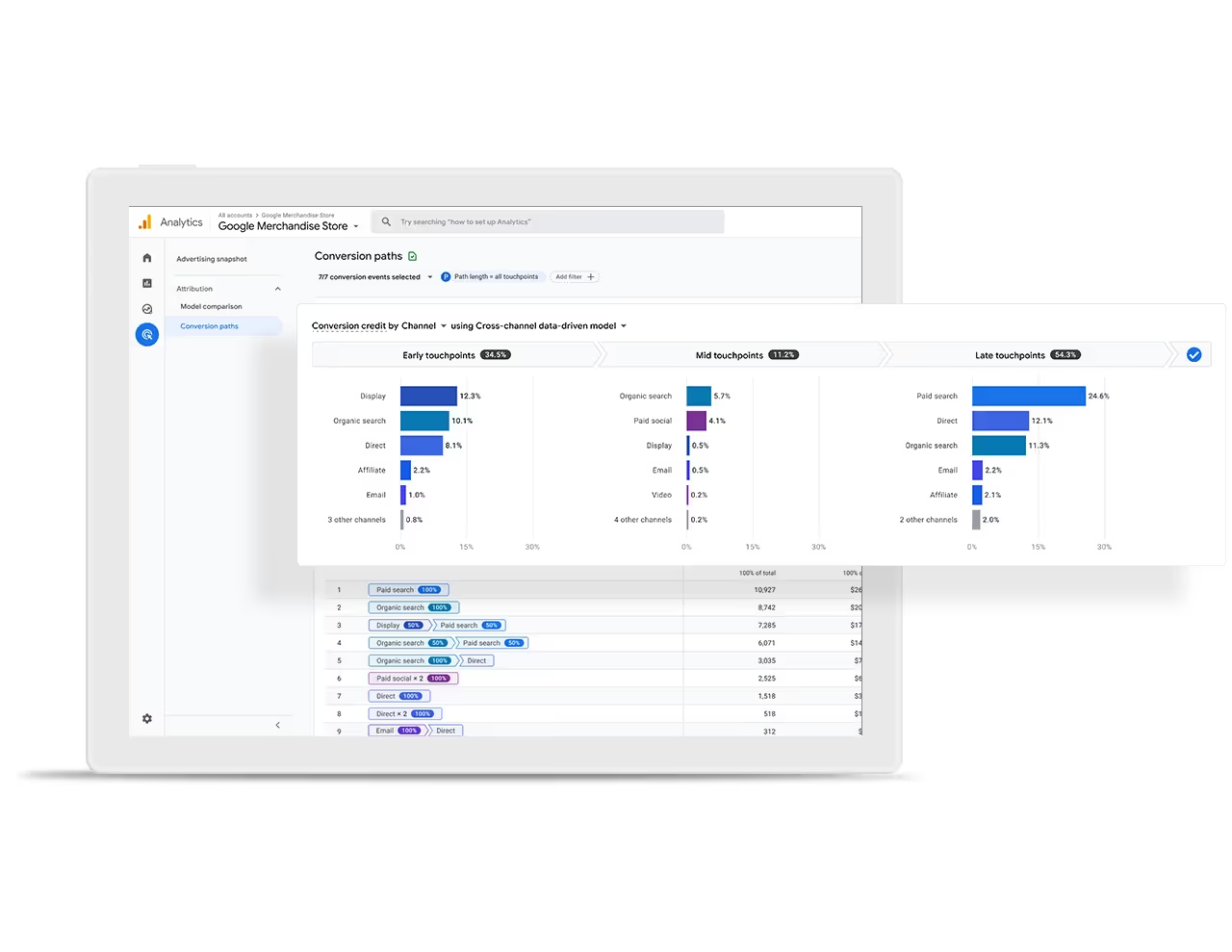
Event-based tracking model for clicks, scrolls, conversions, and custom behaviors.
Advanced audience reporting including demographics, acquisition channels, and LTV models.
Conversion paths & attribution to understand how users move through touchpoints.
Exploration reports like funnels, free-form tables, pathing, and segment analysis.
Predictive insights using machine learning to forecast churn and purchase intent.
Realtime reporting across site and app properties.
Deep integrations with Google Ads, BigQuery, and other analytics and marketing platforms.
✅ Pros
Free and extremely powerful for standard use cases.
Comprehensive traffic, behavior, and conversion tracking.
Realtime insights across site and app activity.
Deep integration with Google Ads and the wider Google ecosystem.
Customizable event schema enables flexible measurement for advanced teams.
Visitor-based pricing means costs can rise as traffic scales.
Some templates and widgets are restricted in simpler plans.
Overuse of notifications can feel intrusive if not deployed strategically.
Provides UX uplift but not ecommerce-specific revenue insights like Noibu.
Pricing
Starts at $16/month.
Best use case
Coaches, digital sellers, and funnel builders.
Comparison table
Find your perfect CRO tool match
Your conversion challenges are unique. Which tools actually solve your specific problems?
This comparison cuts through the noise so you can focus on what matters most: your business goals, team maturity, and desired outcomes.
Tool
Primary Focus
Key Features
Best Use Case
Notable Pros
Notable Cons
⭐ Noibu (Top choice)
Ecommerce monitoring & experience analytics
Full-funnel monitoring of errors, performance, and journey friction.
Revenue-based prioritization of issues and opportunities.
Session replay enriched with ecommerce context and dev-ready details.
Ecommerce brands that want to uncover conversion-blocking friction and focus on the issues with the biggest revenue impact.
Connects technical friction directly to revenue impact.
Helps teams quickly find the top 3–5 issues hurting conversion.
Purpose-built workflows for ecommerce leaders, product, and dev.
Best fit for mid-market and enterprise ecommerce brands.
Requires shift to revenue-first prioritization vs. “noisiest bug.”
Advanced features can vary slightly by stack and implementation.
Optimizely
A/B testing & experimentation
Visual editor for experiments.
Advanced audience segmentation.
Client- and server-side testing.
Large enterprises with mature experimentation programs and substantial data teams.
Enterprise-grade experimentation toolkit.
User-friendly visual editor for marketers.
Robust statistical models.
High total cost of ownership.
Potential page flicker on client-side tests.
Steep learning curve for new teams.
VWO
Full-spectrum testing & insights
A/B, multivariate, and split URL tests.
Heatmaps, recordings, surveys.
Personalization and program management.
Businesses wanting a scalable optimization toolkit that combines testing and behavior analytics.
User-friendly interface at core levels.
Comprehensive testing options.
All-in-one CRO suite.
Learning curve with advanced reporting.
Feature limits on lower tiers.
Can get expensive at high traffic.
Convert
A/B testing & experimentation
Hybrid and multipage testing.
Full-stack experimentation.
Multi-armed bandit algorithms.
Mid-market businesses that have outgrown basic A/B tools and want more control.
Full-stack support at transparent pricing.
Flexible statistical models.
No forced upgrades.
Higher starting point than lightweight tools.
Technical knowledge needed for advanced use.
Less holistic UX/revenue context than Noibu.
Unbounce
Landing page optimization
Drag-and-drop page builder.
Smart Traffic AI.
AI copywriting assistance.
Marketing teams that need full control over campaign landing pages without dev support.
Highly flexible page editor.
Dynamic text replacement for PPC.
Strong template library.
Limited mobile responsiveness options.
Visitor caps on plans.
A/B testing only on higher tiers.
Hotjar
User behavior analytics
Heatmaps and recordings.
Surveys and feedback widgets.
Funnels and form analysis.
Businesses needing visual evidence of user behavior to support UX decisions.
Intuitive, visual interface.
Strong qualitative insight.
Great for stakeholder buy-in.
Setup and performance can be tricky on large sites.
Pricing gets complex by product line.
No direct revenue impact view.
Google Analytics (GA4)
Web analytics
Event tracking and conversions.
Attribution and funnels.
AI-powered predictive insights.
Acting as the foundational analytics layer alongside specialized CRO tools.
Comprehensive quantitative data.
Realtime reporting.
Deep integration with Google Ads.
Steep learning curve in GA4.
Limited “why” without behavior tools.
Sampling issues at very large scale.
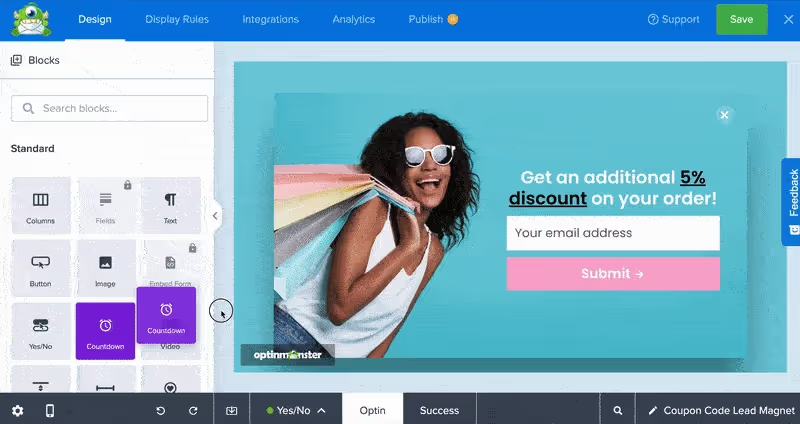
OptinMonster
Lead capture & onsite campaigns
Exit-Intent® technology.
700+ popup and form templates.
Built-in A/B testing & analytics.
Ecommerce and lead-gen teams focused on growing lists and recovering abandoning visitors.
Huge template library.
Very granular targeting options.
Strong integrations with email & CRM tools.
Best features on higher tiers.
Can get pricey vs basic popup tools.
Overuse can negatively impact UX.
No single tool replaces the others — but Noibu is the only one here built specifically to show ecommerce teams where they’re leaking revenue, how much it costs, and what to fix first.
Conclusion: How to choose the right CRO stack
Your website optimization strategy needs the right tools working together. We've tested 17 solutions that address every aspect of conversion improvement, from technical error detection to user behavior analysis.
There’s no single "best" CRO tool — but there is a best starting point.
Start with Noibu. It’s the only tool in this list that tells you:
Where you’re losing revenue
How much each issue costs
Which fixes will have the highest impact
The most successful ecommerce teams use a stack, not just a tool. But Noibu is what ensures everything you do focuses on revenue-first priorities — not guesswork.
Which tools will you test first to stop revenue leaks and boost conversions?
Key takeaways
Capability
Business value
Discover critical conversion opportunities
Surface friction across errors, performance issues, and the buyer journey
Revenue-based prioritization
Teams focus on the biggest revenue drivers instead of the loudest issues
Ecommerce-context session replay
Clear visibility into what customers experience and why issues matter
Performance & page analysis
Identify friction on key pages like product, cart, and checkout
Purpose-built workflows
Align ecommerce, product, and development teams around shared revenue impact
Noibu helps ecommerce teams discover and act on high-impact friction—bringing clarity, speed, and revenue-first decision-making to every part of the digital experience.
Frequently asked questions
Why focus on conversion friction instead of just driving more traffic?
Paid traffic keeps getting more expensive, but most ecommerce sites already have plenty of visitors hitting
invisible roadblocks. Focusing on friction means you’re growing revenue from the traffic you already have:
removing blockers in the buyer journey, improving conversion, and making your existing marketing spend work harder.
That’s exactly where Noibu sits — helping teams uncover and act on the highest-impact conversion opportunities.
How is Noibu different from general error monitoring or analytics tools?
Traditional error monitoring tools track technical failures; analytics tools track traffic and conversions.
Noibu is purpose-built for ecommerce and combines those worlds: it surfaces friction across errors, performance,
and user journeys, then prioritizes everything by revenue impact. Instead of a long list of issues
or dashboards, teams get a clear view of which problems are blocking conversion and what to fix first.
Who is Noibu built for inside an ecommerce organization?
Noibu is designed for ecommerce leaders, product owners, and digital teams who need to connect
technical friction to business outcomes. Ecommerce leaders get clarity on where revenue is leaking. Product and UX
teams see how friction shows up in the buyer journey. Developers get high-context session replays and technical
details so they can resolve issues quickly without noise.
How does Noibu fit with experimentation, analytics, or UX tools?
Noibu doesn’t replace your entire stack — it makes it smarter. It acts as the
revenue-impact layer that shows where friction is costing you the most. From there:
analytics tools (like GA4) quantify performance, behavior tools (like Hotjar or Clarity) add visual UX context,
and experimentation platforms (like Optimizely or VWO) test different solutions. Noibu helps you decide
what to focus on first so the rest of your tools drive higher-ROI work.
What problems does Noibu help solve day-to-day?
Day to day, Noibu helps teams answer questions like: “What’s currently blocking customers from converting?”,
“Which issues are most expensive in terms of lost revenue?”, and “How do we give developers enough context
to fix this quickly?”. By tying issues to funnel stages and revenue, Noibu turns a noisy list of errors
or vague UX feedback into a focused, prioritized queue of high-impact opportunities.
Turn hidden friction into revenue—before customers drop off
Choosing the right CRO tools is only the beginning. To truly move the needle on conversion, ecommerce teams need
visibility into which issues are blocking revenue right now—across errors, performance slowdowns, and buyer-journey friction.
Noibu gives you that clarity and helps your product, ecommerce, and dev teams act fast with confidence.







.png)